
Choosing Player Hardware for Digital Signage: Key Factors and Platform Insights
Choosing Player Hardware for Digital Signage: Key Factors and Platform Insights Selecting the right hardware to power your digital signage network is …
Read Article
Digital signage does not always need motion, saturated colour, or a permanently powered backlight. Many messages change only a few times per day: a meeting room name, a clinic schedule, a temporary direction, a service status, or the next event in a public building. E-paper displays can handle those quiet information jobs while remaining readable in bright ambient light and using very little energy between updates.
That does not make e-paper a universal replacement for LCD or LED screens. Its strengths come with practical limits around refresh speed, colour, animation, low-light visibility, and content production. A successful deployment starts by matching the technology to the message. This guide explains how to identify suitable locations, plan the update and power model, design content for the medium, and run a pilot that reveals operational issues before a large rollout.
An e-paper panel forms an image by moving charged pigment particles within tiny capsules or cells. Once the image is in place, the panel can usually hold it without continuously drawing power. Energy is mainly required when the image changes and when the surrounding electronics communicate with the network.
This behaviour changes the planning conversation. A conventional screen is commonly evaluated around continuous operating hours, brightness, cooling, and video playback. An e-paper sign is evaluated around update frequency, refresh duration, available lighting, wireless coverage, battery service, and the consequences of showing an old image if an update fails.
The visual result also resembles printed material more than an illuminated screen. It has no strong glow and can remain clear under bright indoor lighting or indirect daylight. In a dim corridor, however, it needs sufficient room lighting or a separate front light. That distinction matters in facilities where lighting is reduced after hours.
E-paper hardware varies considerably. Some panels are monochrome, some add a small number of accent colours, and some support a broader colour range with slower updates. Sizes range from label-scale units to poster-style panels. Refresh behaviour, temperature tolerance, battery capacity, wireless options, and mounting systems differ by product, so a content concept should not be finalised before the intended hardware has been tested.
The strongest use cases share three traits: the message is mostly static, ambient light is available, and a failed or delayed update is manageable through clear operating procedures.
A room sign can show the current booking, the next reservation, availability, and a simple status indicator. Most rooms need an update only when a booking changes or a meeting begins and ends. That makes the workload predictable and keeps the screen useful without animation.
The display should reveal the essential status from several steps away. “Available until 2:00” is more useful at a glance than a dense list of every booking. A short upcoming schedule can sit below the main state for people standing closer. If users can reserve the room at the sign, the interaction controls and confirmation state require careful testing; not every e-paper unit includes touch, and a slow visual refresh can make an otherwise simple interaction feel uncertain.
Small e-paper signs can identify assigned desks, neighbourhoods, lockers, equipment, or temporary project areas. They are especially useful where running power cables to every position would be disruptive. A central system can change assignments overnight or at the beginning of a shift.
Privacy rules should shape the content. An employee number, team name, or general reservation state may be more appropriate than a full personal profile. The screen should display only the information needed to use the space, and expired assignments should clear automatically.
Libraries, council facilities, galleries, health centres, and community venues often rely on paper signs for room changes, opening hours, queue instructions, and temporary directions. E-paper can preserve the calm appearance and wide viewing angles of print while allowing authorised staff to update many signs centrally.
The medium works well for messages that remain valid for hours, such as “Workshop moved to Level 2” or “North entrance closed today.” It is less suitable as the only channel for an immediate emergency instruction because refresh time, wireless connectivity, and battery condition introduce dependencies. Urgent communication should follow the facility’s approved life-safety system and operating procedures.
Small displays can present prices, item details, service availability, or collection instructions near the point of decision. The benefit is not merely removing paper. It is connecting approved data to the sign so staff do not have to transcribe and replace information manually.
Accuracy matters more than update volume. If a value comes from an inventory, booking, or service system, define which system owns it, how often changes are sent, and what staff should do when the sign disagrees with the source. A visible device identifier can help support teams locate the affected unit without cluttering the customer-facing message.
Poster-size e-paper can support timetables, platform information, stop notices, and planned disruption messages in bright locations. Static route diagrams and scheduled departures suit the medium. Frequently changing countdowns do not. Updating a “3 minutes” value every minute spends energy, increases network traffic, and exposes refresh limitations without adding much value over a timestamped departure.
A better design may show the scheduled or predicted time plus a clearly labelled “updated at” time. Travellers can judge freshness, and the system can refresh only when source data changes materially.
Choosing e-paper becomes easier when the unsuitable jobs are explicit. It is generally a poor fit when the content depends on:
A mixed display network is often the practical result. A large LCD screen can handle welcome video and rapidly changing announcements in a main lobby, while e-paper signs handle room status along adjacent corridors. The screens share governance and data sources, but each medium does the job suited to its physical characteristics.
An attractive template cannot compensate for an unreliable update path. Document the journey from the source of truth to the visible panel before selecting a fleet size.
A typical flow includes:
Each step needs an owner. Facilities may own mounts and batteries, IT may own connectivity, and communications teams may own templates. A booking-system administrator may own the source data. Without that division, a blank or stale sign can bounce between teams while visitors continue to see incorrect information.
Do not refresh every sign on an arbitrary short interval. Group content by how quickly it loses value.
| Information type | Practical update trigger | Operational concern |
|---|---|---|
| Room status | Booking created, changed, started, or ended | Calendar delays and cancelled meetings |
| Daily programme | Scheduled overnight and when staff amend it | Late venue changes |
| Opening hours | Approved change or seasonal schedule | Expired holiday notices |
| Shelf or service data | Source-record change | Data mismatch at the point of service |
| Planned disruption | Authorised publication and expiry | Clear start and end times |
Event-driven updates reduce unnecessary refreshes, but they require dependable integrations. A periodic reconciliation can verify that device state still matches the source record without redrawing every panel. The important outcome is a known freshness target, not the largest possible number of refreshes.
Battery operation enables clean installation and flexible placement. It also creates a service obligation. Estimate battery life using the actual panel, radio, signal conditions, temperature, refresh pattern, and monitoring interval rather than a headline figure from a controlled environment.
Create a replacement process before installation. Record the device location, battery type, installation date, expected service window, and person responsible. Set an alert threshold that leaves enough time for staff to reach the device. A sign mounted four metres high requires a different service plan from one clipped to a meeting-room wall.
Fixed power may be preferable for large panels, high update rates, difficult access, or integrated lighting. The installation costs more initially, but it can remove repeated battery visits. The correct choice depends on total maintenance effort across the expected life of the sign.
Good office Wi-Fi for laptops does not guarantee reliable coverage for low-power signs. Some devices use Wi-Fi, while others use Bluetooth, cellular connectivity, or a dedicated low-power radio through local gateways. Walls, metal shelving, lift cores, glass treatments, and device enclosures can affect performance.
Test in the exact mounting positions. A survey at desk height may miss a weak area behind a metal directory or inside a recessed case. During the pilot, record signal quality, delivery time, and missed updates at different times of day. If gateways are required, document their power, network connection, range, and ownership as part of the signage system.
E-paper content should be designed as its own format, not as a faded copy of an LCD layout. Strong hierarchy and restraint improve both readability and refresh performance.
At viewing distance, a person usually needs one answer: available or occupied, open or closed, on time or delayed, this room or another room. Make that answer the largest element. Supporting details can use smaller type, but they should never compete with the primary state.
For a room sign, a useful hierarchy might be:
For a public notice, lead with the action—“Use east entrance”—then state the reason and validity period. Readers should not have to interpret a paragraph before knowing what to do.
Black on white usually provides the clearest foundation. Accent colour can identify status or priority when the chosen hardware supports it, but colour should never be the only carrier of meaning. Pair a colour with a label, shape, or icon so the message remains understandable to people with colour-vision differences and on monochrome fallback layouts.
Avoid fine gradients, low-contrast photographs, tiny icons, and thin type. Allow generous margins around the panel edge and visible space between sections. Test printed mockups at the physical screen size, then test the real panel under the brightest and dimmest expected lighting.
Some panels briefly invert, flash, or redraw in stages during a full refresh. Partial updates may be faster but can leave traces over time, depending on the hardware and waveform. This is not only a technical detail; it affects where and how the sign should be used.
A display beside a seated visitor should not refresh needlessly every minute. Schedule routine full refreshes for quieter periods where possible, and test whether partial refreshes keep small fields legible across repeated changes. Content layouts that isolate changing information into clear regions may make updates less visually disruptive.
When information is time-sensitive, include a compact timestamp such as “Updated 10:35 am.” The timestamp gives users and support staff a shared reference. It should not dominate the message, and it should update only when the underlying information is successfully delivered.
For content with a defined end, include an expiry rule in the publishing system. The display can revert to a neutral schedule, standard direction, or approved default message when the notice ends. This is planned content behaviour, not a substitute for monitoring; the system should still report whether the expiry update reached the device.
Accessibility depends on the complete installation, not only the graphic. Text size, contrast, mounting height, approach path, glare, language, reading order, and proximity all affect whether the information can be used.
Start by identifying the expected viewing distance. A small room sign supports close reading, while a corridor direction must work from farther away and during movement. Reduce the amount of text before reducing its size. Keep sentences direct, avoid unexplained abbreviations, and use familiar directional symbols consistently.
If the sign includes touch or buttons, position controls within the required reach range for the site and provide clear focus and confirmation states. Consider a QR code or nearby accessible digital channel for extended detail, but keep the essential instruction on the sign itself. The code should not force every user to provide a phone simply to understand where to go.
Multilingual environments need a deliberate language policy. A rotating language sequence is ineffective if the panel cannot change quickly. Side-by-side short messages, universal symbols, or separate signs may work better. Test translations in the actual template because a phrase that fits in one language may wrap to three lines in another.
Low-energy hardware does not reduce the need for content governance. In fact, a sign that looks like paper can make stale information appear unusually authoritative.
Limit template editing to trained owners. Local staff can be allowed to select approved message types and fill defined fields without changing type size, contrast, or logo placement. Data-connected fields should have validation for missing values, overly long text, invalid dates, and unsupported characters.
Every template needs a predictable incomplete-data state. This is part of the content specification: for example, hide the “next booking” row when no booking exists, or show an approved “Schedule unavailable—check reception” message when the source cannot provide current data. The state should be intentional, tested, and visible in monitoring rather than created ad hoc during an incident.
Maintain an inventory containing:
This inventory becomes essential when a template change affects only one panel generation or when a battery alert identifies a device by serial number rather than room name.
A meaningful pilot should include enough variation to expose problems. Choose several locations with different lighting, wireless conditions, mounting surfaces, update patterns, and staff owners. Running ten identical signs along one corridor proves less than running a smaller but more representative group.
Operate the pilot through normal business cycles for several weeks. Include schedule changes, cancelled bookings, a planned closure, a device that temporarily loses connectivity, and a template update. Ask staff to perform the same tasks they will own after launch.
Track a concise set of measures:
Set acceptance thresholds before reviewing the results. For example, a room-status pilot might require routine changes to appear within two minutes, no sign to remain stale beyond the support target, and the battery projection to meet the planned service interval. The exact numbers depend on the job, but defining them in advance prevents an attractive demonstration from being mistaken for operational readiness.
E-paper can reduce energy use and cabling, but the business case should include everything required to keep the information trustworthy. Count panel and gateway hardware, mounts, integration work, template production, network support, monitoring, batteries, access equipment, replacements, and staff training.
Compare that total with the current process. If staff print and replace hundreds of notices every week, central updates may remove significant labour and error. If a sign changes twice a year and sits beside a staffed desk, a durable printed insert may remain the simpler answer. Digital technology earns its place when the value of timely, consistent updates exceeds the ongoing operating burden.
Also consider reuse. A standard panel and mount that can move between rooms may support future layout changes. A tightly customised enclosure may look better but lock the organisation into one device size. Record these tradeoffs rather than treating hardware price as the only cost.
E-paper digital signage is most effective when it replaces frequently managed print, not when it imitates video screens. Begin with information that changes occasionally, benefits from central control, and remains useful on a reflective, mostly static panel. Room status, daily programmes, opening hours, service details, and planned directions are strong starting points.
Plan the source data, update path, monitoring, power service, and content expiry before scaling. Design for high contrast and one clear state, test the real hardware in its final lighting and mounting position, and keep urgent communication on approved channels built for that purpose.
The result should feel uneventful in daily use: current information appears where people need it, batteries and connectivity are maintained before they become visible problems, and the screen quietly holds its message without demanding attention. That is the distinctive value of e-paper—digital control with many of the practical viewing qualities of a well-designed printed sign.
Choosing Player Hardware for Digital Signage: Key Factors and Platform Insights Selecting the right hardware to power your digital signage network is …
Read Article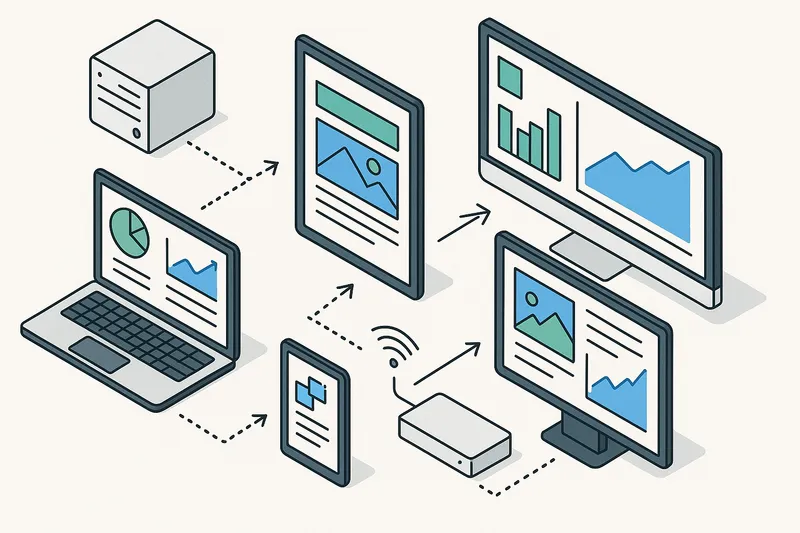
Remote Management and Monitoring for Digital Signage: Boosting Reliability and Performance In today’s fast-paced business environment, digital signage …
Read Article