A cinema is a timed environment disguised as a leisurely one. Guests arrive in waves, screenings start minutes apart, concession demand rises sharply before popular sessions, and auditorium teams work within narrow cleaning windows. A static poster can advertise a film, but it cannot tell a late arrival where to go, remove a sold-out session, or help staff redirect guests when an auditorium is not ready.
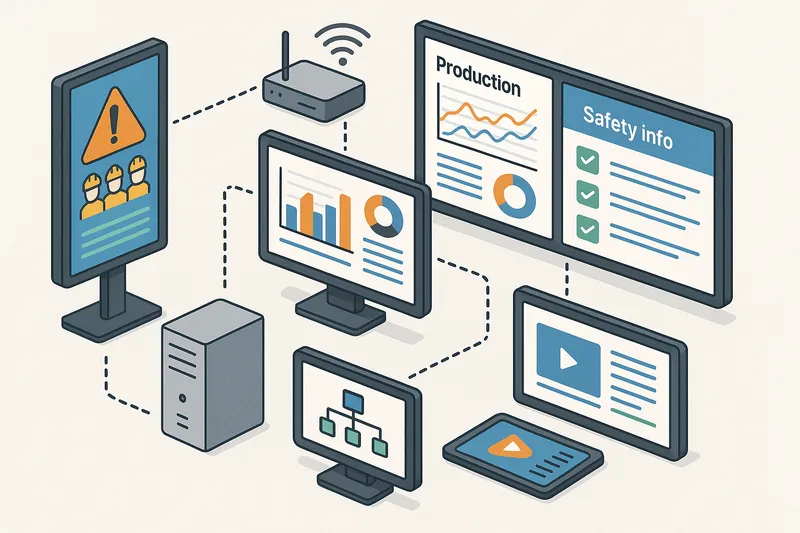
Digital signage gives cinema operators a shared communication layer across the lobby, ticketing area, concession counter, corridors, and auditorium entrances. The value comes from coordination rather than from adding more motion to the walls. When screens draw from an accurate showtime schedule and follow clear operational workflows, they can reduce repeated questions, make queues easier to understand, and keep each stage of the visit moving without making the venue feel rushed.
This guide explains how to assign a practical job to every screen, structure showtime and concession content, manage auditorium turnovers, and measure whether the network is improving the guest experience.
Map Screens to the Cinema Journey
Start with the decisions guests make as they move through the building. A single playlist copied to every display ignores the fact that someone outside the entrance needs different information from someone standing beside auditorium six. Each zone should answer the next question in the journey.
Exterior and Entrance Displays
Entrance screens should help people decide whether to enter and what to do next. Useful content includes films currently showing, the next few available sessions, accessibility symbols, ticketing directions, and notices about special screenings. Limit the number of visible choices so a passerby can understand the message in a few seconds.
Do not fill an entrance loop with every session for the entire day. A more useful layout might show the next three available sessions, one upcoming feature, and a clear direction to ticketing. Sessions that have started or sold out should disappear automatically. If the cinema has several entrances, each screen can include the shortest route to the ticket counter or self-service area from that door.
Ticketing and Self-Service Areas
At ticketing, the job changes from attraction to decision support. Guests need current showtimes, format details, running-time information, age guidance where applicable, seat availability status, and a clear indication of which counter or kiosk to use. This information should match the ticketing system closely enough that guests do not choose a session from the display only to discover that it is unavailable seconds later.
Use consistent labels for formats and accessibility services. If an audio-described session uses one symbol on the showtime board, the same symbol should appear on the ticket confirmation and auditorium entrance display. Consistency reduces the need for staff explanations and helps returning guests build familiarity.
Concession Counters
Concession displays must support quick ordering under pressure. Separate menu information from promotional content: guests should always be able to find core items, sizes, and prices, even while a limited offer is featured. A multi-screen counter can reserve most of its space for stable menu categories and use one panel or one content zone for timely offers.
Queue position matters. Guests at the back of the line are choosing, while guests at the register are confirming. Place broader bundles and featured items where they are visible earlier in the queue. Keep the screens nearest the point of sale focused on exact item names, sizes, availability, and payment guidance. This arrangement gives people more time to decide and reduces last-second menu searching.
Corridors and Auditorium Entrances
After purchase, screens become wayfinding and status tools. Corridor displays should prioritize auditorium directions, session start times, accessible routes, and temporary detours. At each auditorium door, a dedicated display can confirm the film, start time, screen number, format, accessibility services, and entry status.
The entry-status message is particularly important during tight turnovers. A simple state model works well:
- Preparing: the previous audience is leaving or the room is being cleaned.
- Now seating: guests may enter and find their seats.
- Feature started: late-arrival guidance applies.
- Closed: the session is complete or the room is unavailable.
These states should use clear visual differences as well as words, but never rely on color alone. A guest who cannot distinguish red from green still needs to understand whether entry is permitted.
Showtime accuracy is the foundation of cinema signage. If guests see conflicting information on two screens, they stop trusting the network and return to asking staff. Define one operational source for session data and make every screen presentation derive from it.
Separate Schedule Data from Design
Treat film title, auditorium, start time, format, accessibility services, availability, and status as data fields rather than text typed into a graphic. The visual template controls typography, spacing, and hierarchy; the schedule supplies the changing values. This separation lets the team update a session once instead of editing several images.
A useful session record might contain:
| Field | Purpose on screens |
|---|
| Start time | Sorts sessions and helps guests plan arrival |
| Auditorium | Powers directions and door displays |
| Format | Distinguishes standard and premium experiences |
| Availability state | Removes or labels sold-out sessions |
| Accessibility services | Helps guests choose suitable sessions |
| Operational status | Controls preparing, seating, and started messages |
Only expose fields that help the viewer act. Internal cleaning notes, staff assignments, or incident details belong on staff-facing displays, not public boards.
Define Update Timing
Not every field needs the same refresh interval. Start times may change rarely, while availability can shift quickly during a busy evening. Auditorium status may change several times within twenty minutes. Set refresh expectations around the consequence of stale data.
For example, an operator might refresh seat-availability states every minute, publish schedule changes immediately after approval, and allow the auditorium lead to change the door status from a staff device. The exact interval matters less than documenting it and testing that every affected screen receives the change promptly.
Plan for Schedule Exceptions
Routine automation should not prevent fast human action. A late-running session, technical interruption, private booking, or accessibility change may require a targeted notice. Create pre-approved layouts for common exceptions so staff can publish a clear message without designing under pressure.
An exception workflow should identify:
- Who confirms the operational change.
- Who may publish the guest-facing message.
- Which screens receive it.
- When the notice expires.
- What replaces it after expiry.
Automatic expiry is essential. A delay notice that remains on a corridor screen after the issue is resolved creates a second problem and weakens confidence in later alerts.
A cinema menu has to work at several viewing distances while the audience is moving. The goal is not to show every possible detail at once; it is to help a guest identify a category, compare a small number of choices, and order confidently before reaching the register.
Keep core categories in predictable positions. If drinks are on the right screen today, avoid moving them to the far left tomorrow just to make a campaign feel fresh. Regular guests benefit from spatial memory, and staff can answer questions faster when the menu structure is stable.
Within each category, make the item name and price easy to scan. Use short descriptions only when they resolve a meaningful question. Long ingredient paragraphs, multiple badges, and several simultaneous animations increase decision time. Detailed dietary and allergen information should be available through a clearly signposted, accessible channel that follows local requirements and the cinema’s food-safety process.
Use Dayparting with Operational Purpose
Content scheduling can reflect demand patterns without rebuilding the menu. A weekday afternoon playlist may emphasize smaller bundles and family sessions, while an evening playlist gives more space to shareable items. Late sessions may require a reduced menu if some equipment closes before the final film ends.
Every scheduled change must agree with actual service. Do not promote an item after its preparation station has closed. Link content cut-off times to the concession operating plan, and give the duty manager a simple way to mark an item unavailable. Removing an unavailable item is usually clearer than leaving it visible with a small warning that guests may miss.
Reserve a defined proportion of the layout for promotions. In a four-panel arrangement, three panels might remain dedicated to ordering information while one rotates bundles or event messages. On a single display, a persistent menu region can sit beside a slower promotional zone.
Keep motion restrained near prices and item names. Animation can draw attention to one featured offer, but simultaneous movement across all panels makes scanning harder. Test the layout from the real queue, not from a designer’s monitor. If a price cannot be read through another guest’s shoulder or under the venue lighting, it is not ready to publish.
Coordinate Auditorium Turnovers
Turnovers connect backstage work with front-of-house expectations. Guests want to enter, cleaners need enough time to prepare the room, and ushers need a reliable signal before admitting a queue. Digital signage can make the handoff visible without exposing operational clutter.
Use Status Changes as a Handoff
Assign responsibility for each transition. The auditorium remains in Preparing while the previous audience exits and cleaning is underway. The person accountable for room readiness changes it to Now seating only after the safety and presentation checks are complete. The status then advances to Feature started according to the agreed session rule.
Avoid changing the public display automatically to Now seating at a fixed time unless room readiness is guaranteed. A schedule can prompt staff, but a human confirmation prevents the screen from inviting guests into an auditorium that is still being serviced.
Support Staff with a Separate View
Back-of-house displays can show the next turnover deadlines, auditorium assignments, accessibility preparations, and confirmed incidents. This operational view should be concise enough to read while moving. Sort it by the next required action rather than by auditorium number alone.
A staff screen might show:
- Auditorium four exits in six minutes; cleaning team assigned.
- Auditorium two is ready; usher confirmation received.
- Auditorium seven requires an accessibility equipment check before seating.
- Auditorium one has a reported technical issue; guest notice active.
Public screens should receive only the outcome relevant to guests. Keeping staff detail separate protects privacy and prevents confusing internal shorthand from appearing in the lobby.
Handle Late Arrivals Clearly
Late-arrival instructions vary by venue and session. The auditorium display can state whether guests should enter quietly, wait for an usher, or return to the service desk. Place the instruction where it can be read before someone opens the door.
If entry is temporarily paused, publish an expected next step rather than a vague apology. “Please wait for an usher” gives the guest an action. The message should disappear as soon as normal entry resumes.
Prepare for Disruptions and Safety Messages
Cinema screen networks can support urgent communication, but only if alert behavior is planned before an incident. Define who can interrupt normal playback, which screens are included, and how the venue confirms that the alert appeared.
Emergency messages should take over the full display rather than compete with trailers, menus, or schedules. Use plain instructions, high contrast, large type, and approved symbols. If a screen normally carries audio, do not assume audio alone will reach everyone in a noisy lobby. Visual instructions should stand on their own and align with the venue’s emergency procedures.
Less urgent disruptions need narrower targeting. A problem in one auditorium may require notices at ticketing, the relevant corridor, and that auditorium entrance, but not on every concession display. Targeting avoids alarming unaffected guests and leaves other screens useful.
Run scheduled tests with staff. Confirm that an authorized person can launch the message, players interrupt their normal playlists, every targeted screen responds, and normal content returns only after the incident is closed. Record any screen that failed so it can be investigated rather than assumed healthy.
Make Cinema Content Accessible
Accessibility should shape the template, not be added as an icon at the end. Cinema guests include people with low vision, limited mobility, hearing loss, cognitive disabilities, and temporary impairments. They need the same timely information as everyone else.
Use sufficient contrast, readable type sizes, plain language, and generous spacing. Keep essential messages visible long enough to read. Avoid rapid flashing and do not place critical instructions only inside video. Where a route changes, state the accessible route explicitly rather than displaying only an arrow toward stairs.
Show accessibility services consistently across showtime boards, ticketing screens, and auditorium displays. Symbols should be accompanied by clear labels when space permits. Interactive kiosks need reachable controls, visible focus states, and a path that does not depend entirely on precise touch gestures.
Test with real viewing conditions. Reflections from lobby glass, low corridor lighting, and crowds can reduce readability even when a layout looks excellent in an office. Walk the guest route at busy and quiet times, and review screens from seated and standing heights.
Set Governance Rules for a Multi-Screen Venue
Cinema content touches operations, food service, marketing, accessibility, and safety. Without ownership rules, small inconsistencies spread quickly. Create a simple publishing matrix that defines who owns each content type and who approves exceptions.
For example:
| Content type | Owner | Required control |
|---|
| Showtimes and auditorium assignment | Cinema operations | Synchronized source data |
| Concession items and prices | Food-service manager | Availability and expiry check |
| Film campaigns | Marketing | Date range and screen targeting |
| Accessibility information | Guest services | Service-label verification |
| Emergency instructions | Venue leadership | Restricted publishing access |
Use role-based permissions so a team member can perform their job without changing unrelated screens. A concession supervisor may need to remove an unavailable item but should not be able to edit evacuation instructions. Likewise, a marketing scheduler should not overwrite the persistent showtime region with a full-screen campaign.
Every temporary item needs a start time, end time, owner, and destination. Review recurring playlists at least monthly and event-specific content after each campaign. Removing expired assets from active schedules is more important than continuously adding new ones.
Measure Operational Results
Measure the jobs the screens were installed to perform. Vanity metrics such as the number of uploaded assets say little about whether guests found their auditorium or ordered faster.
Useful cinema measures include:
- Repeated showtime and direction questions logged by front-of-house staff.
- Average concession transaction time during comparable peak periods.
- Number of orders changed because a displayed item was unavailable.
- Time between auditorium readiness confirmation and the public status update.
- Guest complaints caused by conflicting session information.
- Percentage of active screens reporting healthy playback during operating hours.
Establish a baseline before changing the network. Then compare similar periods: a Friday evening with another Friday evening, or a school-holiday week with the equivalent trading pattern. Film popularity, staffing, and audience mix can affect queues, so avoid attributing every change to signage alone.
Combine numbers with observation. Watch where guests stop, turn around, or ask for help. A corridor display may be technically online but positioned after the decision point. A concession menu may be accurate but too dense to scan. Short staff debriefs often reveal these problems before a formal report does.
A Practical Rollout Plan
Begin with the information that changes most often and creates the most questions. For many cinemas, that means showtime boards and auditorium entrance displays. Connect the schedule data, establish the four entry states, and test exception messages before adding promotional complexity.
Next, redesign concession screens around queue decisions. Photograph the view from several positions, check type size and glare, and compare transaction flow before and after the change. Add dayparting only when the operating team can keep availability aligned.
Finally, connect staff views, alert workflows, and performance reporting. Document ownership and train each role on the few actions it actually needs. A short, repeatable operating procedure is more valuable than a feature-rich system that only one person understands.
Before launch, verify that:
- The same session appears consistently at entrance, ticketing, and auditorium screens.
- Sold-out or cancelled sessions update everywhere they should.
- Staff can hold seating until an auditorium is ready.
- Concession availability matches what can be ordered.
- Temporary messages expire automatically.
- Accessibility details remain visible and consistent.
- Authorized staff can launch and clear an alert.
Practical Takeaways
Cinema digital signage works best as an operational system with a public face. Each display should answer the next question in the guest journey, while schedule data, ownership rules, and staff handoffs keep those answers accurate.
Prioritize showtime trust, readable concession choices, clear auditorium states, and accessible directions before adding more promotional content. When guests can move from entrance to seat with fewer uncertainties—and staff can update the venue without chasing printed notices—the screen network is doing useful work. The result is a calmer lobby, more predictable turnovers, and a cinema experience that feels coordinated even during the busiest arrival wave.